
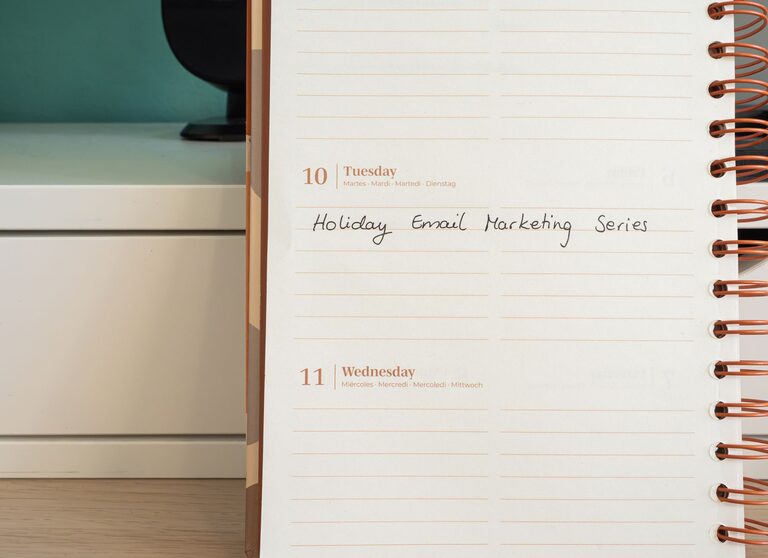
In today’s digital world, emails are an essential part of personal and professional communication. However, a cluttered inbox can quickly become overwhelming, leading to missed messages, stress, and decreased productivity. If you find yourself constantly checking your email or feeling buried under dozens of unread messages, it’s time to take control. This blog post offers actionable strategies to help you manage your emails effectively and maintain a clean, manageable inbox.
Why Managing Your Email Matters
An overflowing inbox can negatively affect your focus and time management. Constant notifications pull your attention away from important tasks, and important emails can get lost in the clutter. By developing better email habits, you can:
– Minimize distractions
– Prioritize important messages
– Respond more efficiently
– Reduce stress and feel more organized
Step 1: Set Clear Email Checking Times
One of the biggest productivity killers is checking your email too frequently. Each time you switch tasks, your focus drops. To avoid this:
– Designate specific times during the day to check your email (e.g., morning, lunch, and late afternoon).
– Turn off email notifications on your phone and computer outside of those times.
– Stick to your schedule to improve focus on your other tasks.
Step 2: Use Folders and Labels to Organize
Creating a system for sorting your emails helps keep your inbox clean and makes it easier to find messages when needed.
– Set up folders or labels for different categories such as Work, Personal, Receipts, or Newsletters.
– Use filters or rules to automatically direct incoming emails to the appropriate folders.
– Archive or delete emails that you’ve already addressed to keep your inbox tidy.
Step 3: Unsubscribe from Unnecessary Emails
Unwanted newsletters and promotional emails can clutter your inbox and distract you from important messages.
– Take a few minutes each week to unsubscribe from emails you no longer read.
– Use tools like Unroll.Me or built-in email features to manage subscriptions.
– Consider creating a separate folder for newsletters you want to keep and review them less frequently.
Step 4: Use the “Two-Minute Rule” for Quick Replies
If you can respond to an email in two minutes or less, do it immediately.
– This prevents small tasks from piling up.
– For longer emails, mark them to address later during your designated email time.
– Keeping replies brief and to the point saves time.
Step 5: Prioritize with Flags, Stars, or Pins
Most email platforms let you mark important emails with flags or stars.
– Use these features to highlight messages that need your attention or a response.
– Review flagged emails during your email checking time.
– Archive or delete messages once handled to maintain clarity.
Step 6: Keep Your Emails Clear and Concise
Writing clear and concise emails reduces back-and-forth communication and saves time.
– Use descriptive subject lines.
– Get to the point quickly.
– Use bullet points or numbered lists to organize information.
– End with a clear call to action or next step.
Step 7: Regularly Review and Clean Your Inbox
Make it a habit to conduct a weekly or monthly inbox cleanup.
– Delete or archive old emails you no longer need.
– Empty your spam and trash folders.
– Review folders and adjust filters or labels as necessary.
Bonus Tip: Consider Email Management Tools
If you receive a high volume of emails, specialized tools can help.
– Apps like Spark, Edison Mail, or Mailbird offer smart sorting and snoozing options.
– Use autoresponders or canned responses for frequently asked questions.
– Explore integrations with task managers to turn important emails into actions.
Summary: Your Path to Email Control
Email management is a skill that anyone can learn. By setting specific times to check your mail, organizing your inbox with folders and labels, unsubscribing from unwanted messages, and using quick response strategies, you can reduce email stress and boost your productivity. Start with small changes and build habits that keep your digital communication streamlined and effective.
Remember, a well-managed inbox means more time for the important things in your day!