
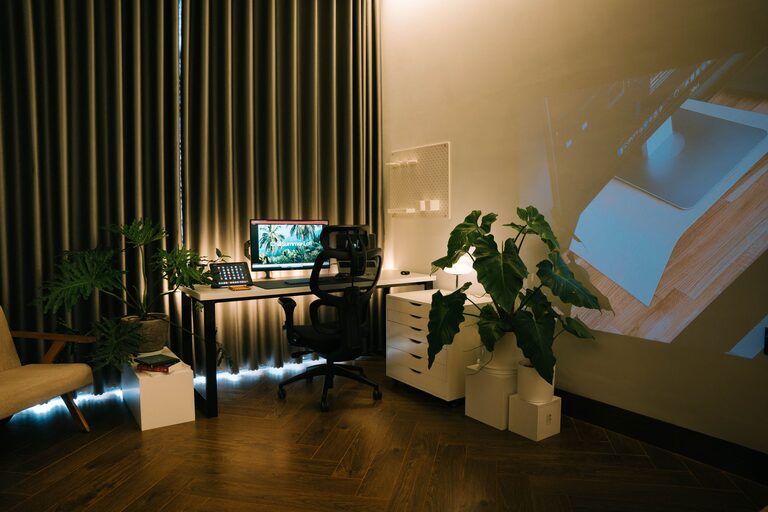
Creating a relaxing home workspace is essential for maintaining focus and reducing stress, especially when many of us spend hours working remotely. A well-designed workspace can enhance your mood, productivity, and overall work experience. In this guide, we’ll explore practical steps and tips to help you design a calming and efficient home office.
Why a Relaxing Workspace Matters
When your workspace feels chaotic or uncomfortable, it can lead to distractions, fatigue, and decreased motivation. On the other hand, a calming environment encourages concentration and creativity, helping you to perform your best. By intentionally setting up your space, you invest in your well-being and work success.
Step 1: Choose the Right Location
Find a Quiet Spot
Select a place in your home that is as quiet as possible and away from high-traffic areas. This reduces interruptions and helps you stay focused.
Consider Natural Light
If possible, position your desk near a window. Natural light positively affects mood and reduces eye strain. If natural light is limited, make sure to use warm, soft artificial lighting.
Step 2: Declutter and Organize
Clear Your Desk
Keep only the essentials on your desk. A clutter-free surface minimizes distractions and promotes clear thinking.
Use Storage Solutions
Invest in organizers, shelves, or drawers to keep supplies, documents, and gadgets neatly stored.
Digital Decluttering
Organize your computer files and email inbox regularly to maintain a smooth workflow.
Step 3: Choose Comfortable, Ergonomic Furniture
Invest in a Good Chair
A supportive chair with adjustable height and lumbar support protects your back and encourages good posture.
Opt for an Ergonomic Desk Setup
Set your monitor at eye level, keep your keyboard and mouse within easy reach, and maintain a comfortable distance to reduce strain.
Step 4: Add Calming Elements
Incorporate Plants
Indoor plants like succulents or peace lilies add a splash of nature and can improve air quality.
Use Soothing Colors
Choose calming colors such as soft blues, greens, or neutral tones for your walls and accessories.
Include Personal Touches
Display a few personal items like photos, artwork, or meaningful objects that inspire positivity without causing clutter.
Step 5: Control Noise and Distractions
Use Noise-Cancelling Headphones
These can help block out unwanted sounds if your space isn’t completely quiet.
Add Soft Background Music
Instrumental or ambient music can improve focus and reduce stress.
Set Boundaries
Communicate with household members about your work hours to minimize interruptions.
Step 6: Maintain Good Air Quality and Comfort
Ventilate Your Workspace
Open windows when possible or use an air purifier to keep fresh air circulating.
Control Temperature
Keep the room at a comfortable temperature using fans, heaters, or air conditioning depending on the season.
Step 7: Breaks and Movement
Schedule Regular Breaks
Taking short breaks every hour helps reduce mental fatigue.
Incorporate Movement
Stretch, walk around, or do light exercises to keep your body energized.
Bonus Tips: Technology and Lighting
– Use adjustable desk lamps with warm light to reduce eye strain.
– Consider a monitor filter to reduce blue light exposure.
– Keep cables organized with clips or cable boxes to avoid mess.
—
Creating a relaxing home workspace is about balancing functionality and comfort. With some thoughtful planning and small changes, your workspace can become a place where you enjoy spending time and doing your best work. Remember, the goal is to make your space work for you—both physically and mentally.